

The safer way to sign in to all of your online accounts
Accessing your account should be fast, simple, and secure—whether it’s your Google Account or the apps and services you use everyday. Google offers multiple ways to help you stay connected, while keeping your account protected.
Simple and secure sign-in, without passwords
Passkeys offer the simplest, most secure sign-in using your device, so signing in to your Google Account is as easy as glancing at your phone or scanning your fingerprint. Passkeys are an industry standard and work across all your devices and platforms.
Effortless sign-in across all your devices
Passkeys don’t need to be remembered or typed. Instead, you use your fingerprint, face scan, PIN, or other screen lock to sign in twice as fast as using a password. Because passkeys can be securely synced across your devices through your password manager, they make sign-in easier wherever you are.
More secure than passwords
Based on FIDO Alliance and W3C standards, passkeys leverage the same public-key cryptographic protocols that underpin physical security keys, making them resistant to phishing, credential stuffing, and other remote attacks.
Keep access to
what matters to you
Your Google Account holds important information, from emails and photos to files and personal data. Setting up recovery options give you multiple ways to access your account whenever you have trouble signing in.
Several ways to verify it’s you
Lost your phone? Forgot your password? Google offers several options to help you get back in. Selfie video lets you verify your identity with a simple, guided video. Recovery Contacts allow trusted friends and family members to help confirm it’s you. You can also set up a recovery email or phone number to help you regain access.
Set up before you need it
Recovery options only take a few minutes to set up. Having extra ways to sign in can make it easier to get back into your account when you need it most. Explore and manage your recovery options, and update your preferences anytime.
Defend against hackers with 2-Step Verification
2-Step Verification helps keep out anyone who shouldn’t have access to your account by requiring you to use a secondary authentication process on top of your username and password to sign in to your account. For those who are at risk of targeted online attacks and need even stronger protections, learn more about the Advanced Protection Program.
The safer way to sign in to your favorite apps and services
You deserve both speed and security when signing in to all your online accounts. You can more safely and easily sign in to thousands of apps and websites knowing that your sign-in information is kept private, safe, and secure with your Google Account.
Safely sign in or sign up anywhere with just a tap
Using Sign in with Google, you’re safe from bad actors stealing your passwords for third-party apps and services. Even if an app or service has a security incident, Sign in with Google continues to protect you by uniquely verifying each login.
More control over your accounts and connections
Manage how you use Sign in with Google, linked accounts, and other third-party connections with your Google Account. You can view, update, and manage what data you’re choosing to share all in one place, keeping you organized and in control. Review your connections now
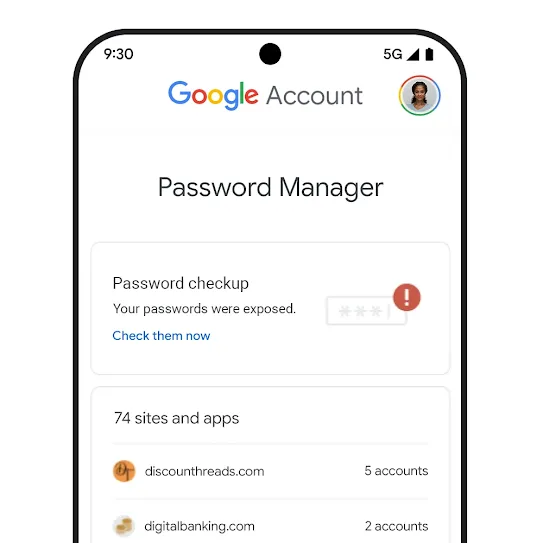
Strong passwords help keep you safe
Google’s Password Manager helps you manage your passwords and passkeys
Built into Chrome and Android, Google’s Password Manager securely suggests, saves, and fills in passwords for all of your online accounts. Passkeys work alongside passwords and are conveniently managed all in the same place. Manage your saved Passwords and Passkeys
Password Alert helps keep your passwords safe
Every day, new data breaches publicly expose millions of usernames and passwords. Google monitors compromised passwords, so if any of your saved passwords have been found to be involved in a data breach, we’ll automatically alert you.
Password Checkup Strengthen the security of your Google Account
